Connecting the Widget to your Mobile App
Overview#
Mobile apps provide some of the best experiences possible for users. With our mobile app integrations, you can make finding and purchasing parking as seamless as the rest of your mobile flow.
Adding the WebView#
iOS#
There are multiple ways to add web content into an iOS app. In the case of this tutorial, we'll be using SafariServices and the SFSafariViewController.
In your storyboard, add a new view controller scene along with its own Swift view controller file.
Add the following code to your controller with private var url: String equal to the provided URL for your widget:
Android#
Add the following view within the XML of the activity or fragment where you'd like to display the widget:
Within the corresponding activity or fragment, add the following code snippet with URL equal to the provided URL for your widget:
Points of Entry#
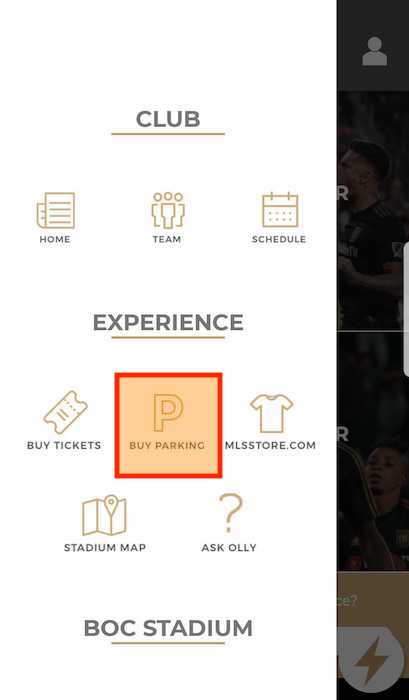
As with other parts of your app, you'll need clear points of entry for users to get into the parking experience. We recommend the following points of entry to book parking in your application:
- A dedicated button in the bottom toolbar or in the top navigation
- A callout to book parking within an event-specific screen
Examples#
Example navigation
Page Layout#
tip
We recommend rendering the WebView fullscreen without scrolling. If you have additional navigation elements (such as a header, footer, or navbar) that provide page context, the widget title can be removed with the title override text set to " ".
Starting View#
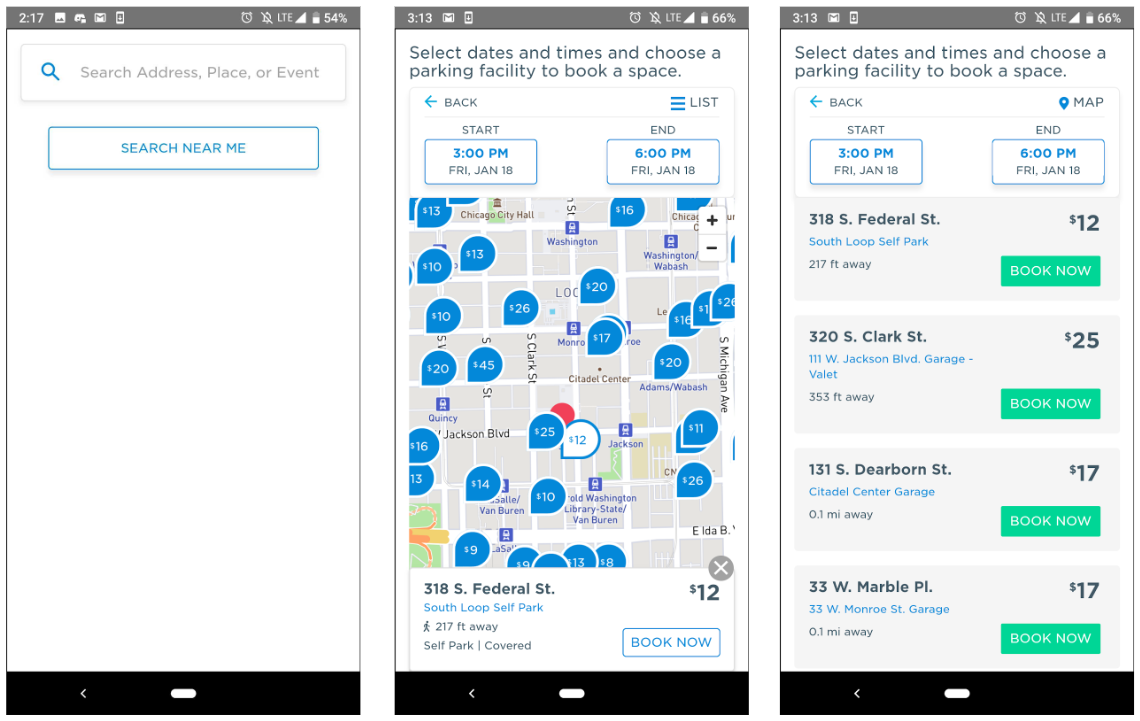
For the best user experience possible, we recommend starting the user in one of the following views within your mobile app:
- The search bar, which lets the user search for points of interest, venues, and events, or optionally search off of their current location;
- The map view, which provides a custom-zoomed, interactive view of parking at a specified location, or;
- The native map view from within your app, which provides the greatest level of customization and control but also requires the most development work and connection to our APIs.
Examples#
Example Search and Map Views